
What Is an AI Agent? A Plain-English Guide to Agentic AI in 2026
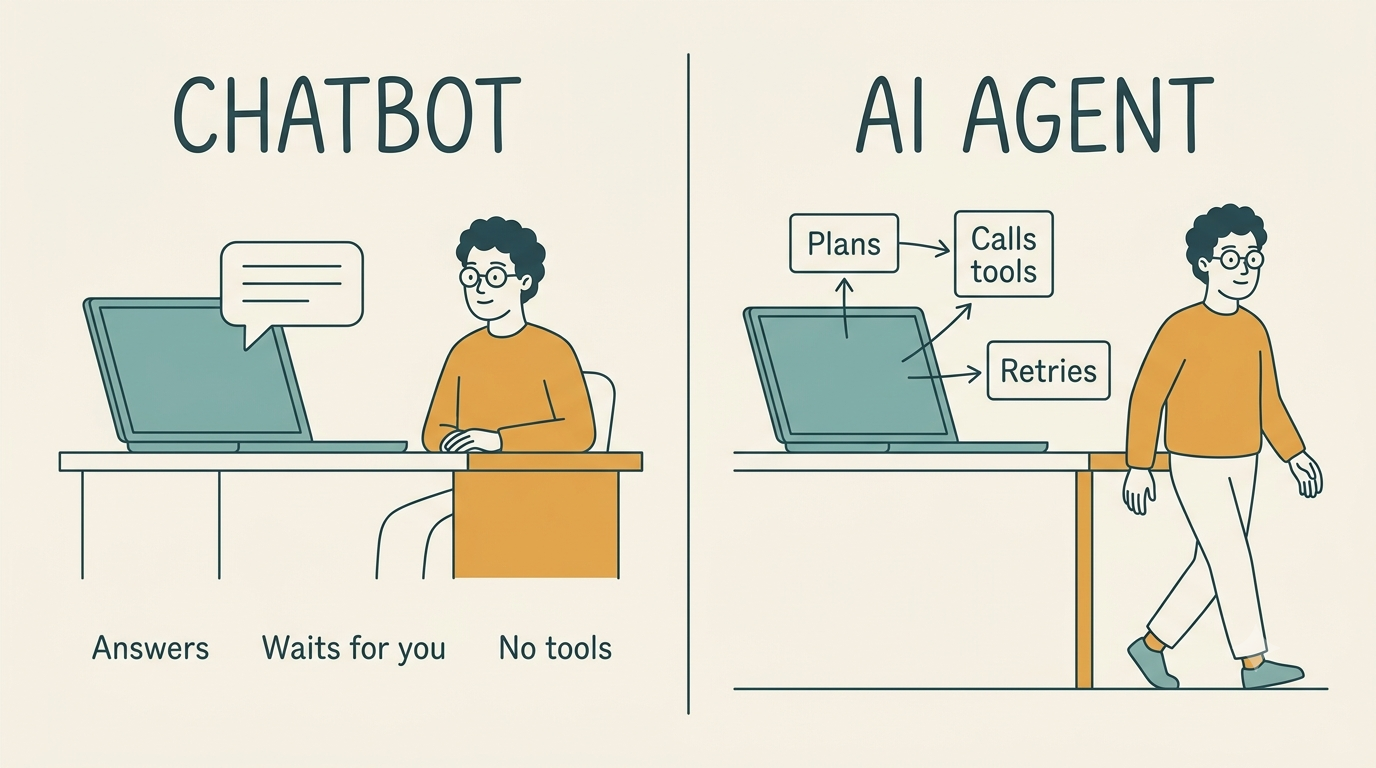
An AI agent is software that pursues a goal on its own — it decides what to do, picks its own tools, and keeps acting until the job is done or it hits a limit. The one-line difference that matters: a chatbot answers, an agent acts.
This page maps what agents are, how they are built, and what they can and cannot do — definitions, architecture, types, protocols, real use cases, and the limits nobody should skip before turning one loose.
What an AI agent actually is
The one-sentence definition
An AI agent is a system that uses a model to decide what to do and tools to actually do it, with enough autonomy to run a multi-step task without a human approving every step. OpenAI’s working definition is narrower and useful: a system that uses a large language model to manage workflow execution and has access to tools to act on external systems, inside guardrails.
Where the word came from
The idea is old, the hype is new. Oliver Selfridge’s 1958 paper Pandemonium: A Paradigm for Learning is an early ancestor of agent architectures, and practical agent systems spread in the 1990s on the belief-desire-intention model and agent-oriented programming. The word “agentic” only became common in 2024, popularized in part by researcher Andrew Ng, after OpenAI’s function-calling API in mid-2023 made tool use routine for large language models.
Autonomy is a dial, not a switch
Autonomy in agentic AI has been compared to SAE self-driving levels: most real deployments sit at level 2-3, a few narrow cases reach level 4, and level 5 stays theoretical. Worth saying plainly, because it sets honest expectations for the rest of this guide — an autonomous agent today is rarely fully autonomous.
AI agent vs chatbot vs assistant vs LLM
An LLM is a model that produces text. A chatbot wraps that model in a conversation. An assistant or copilot works alongside a person and waits for instructions. An intelligent agent takes a goal and runs the loop itself, choosing tools and retrying on failure. Workflow automation is the fifth neighbour worth naming: it follows a script somebody wrote in advance, while the agent writes the script at runtime.
Is ChatGPT an agent?
By itself, no — GitHub states this outright: a general-purpose conversational assistant is not automatically an autonomous system. The same interface becomes what Zapier calls an “agent harness” the moment it is given tools, memory, and permission to act without asking each time. The label depends on the wiring, not the brand.
| Type | Who starts the work | Decides its own steps | Uses tools | Remembers | Typical example |
|---|---|---|---|---|---|
| LLM | Human, per prompt | No | No | No | Raw text completion |
| Chatbot | Human, per message | No | Rarely | Session-only | Support widget |
| Assistant / copilot | Human, per request | Partly | Yes, on request | Sometimes | GitHub Copilot suggestions |
| Workflow automation | Trigger event | No — fixed script | Yes, fixed set | No | Zapier no-code flow |
| AI agent | Goal, set once | Yes | Yes, chosen dynamically | Yes | Coding agent, customer agent |
How an AI agent works: the observe-plan-act loop
A goal comes in, the agent plans, calls a tool, reads the result, and decides whether the task is done or needs another pass. That loop is the core mechanism — everything else in an agentic AI system is engineering built around it.
ReAct and ReWOO
ReAct interleaves reasoning and action in a think-act-observe cycle. The agent adapts after every tool result, which makes it more resilient to surprises but slower and more token-hungry, since it re-reasons at every step. The approach was formalized in a widely cited 2022 research paper that gave the pattern its name.
ReWOO plans the full chain of steps up front and then executes it. This cuts token spend and latency because the reasoning happens once, but it adapts worse when the environment throws something unexpected at the agent mid-run.
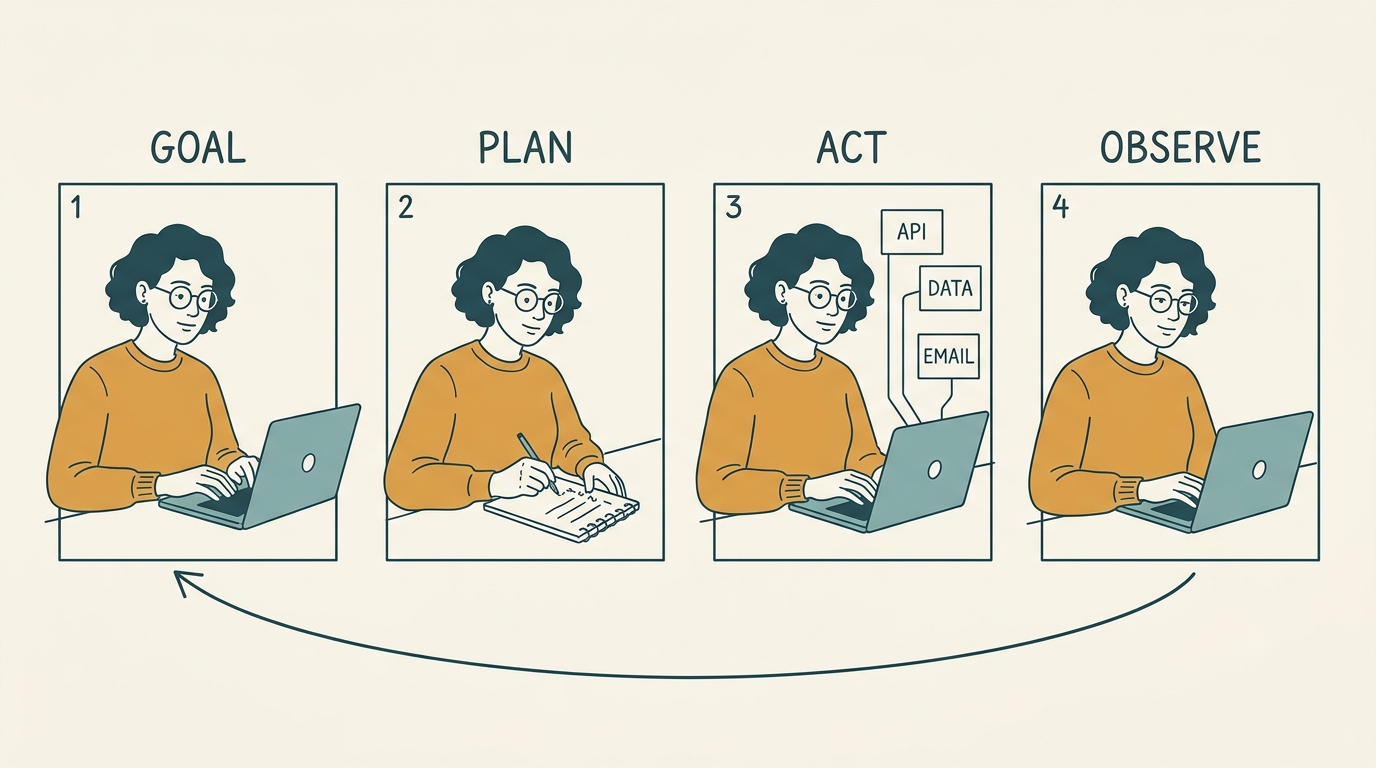
Most production systems mix both: a ReWOO-style plan for the predictable parts of a task, with ReAct-style re-planning bolted on for the steps most likely to surprise the agent.
Where the loop breaks
Two recurring failure modes show up across production deployments: infinite loops, where the agent calls the same tool repeatedly without making progress, and runaway computational cost, where a task that looked like it would take minutes quietly runs for hours or days because nothing capped it.
The parts an agent is built from
An agent is a system that leverages an LLM to manage workflow execution and make decisions.
OpenAI, A practical guide to building agents
Model, tools, instructions
The minimal breakdown, widely used across vendor documentation: the model does the reasoning, the tools reach the outside world, the instructions define behaviour and boundaries. Tools themselves split into three kinds worth knowing by name — data tools that read information, action tools that change something, and orchestration tools that expose other agents as callable functions.
Memory
Short-term memory holds the current task. Long-term memory carries facts and preferences across sessions. Episodic memory stores what happened in previous runs, so the agent isn’t starting cold each time. In multi-agent setups, a fourth kind — consensus memory — lets several agents share a common view of the state. Without memory, an agent restarts from zero every turn and cannot learn from its own mistakes.
Planning and reflection
A planning module, including hierarchical task decomposition for breaking a big goal into smaller ones, sits alongside a separate learning-and-reflection layer that can use reinforcement learning to improve over time. Reflection is what turns a failed tool call into a corrected second attempt instead of a dead end.
How many tools is too many
A practical rule of thumb from engineering guides: some implementations manage 15 or more clearly separated tools without trouble, while others stumble with fewer than ten that overlap in purpose. Clarity of tool boundaries matters more than raw tool count — and the moment tools start overlapping is usually the moment to split one agent into several.
Types of AI agents
The textbook five
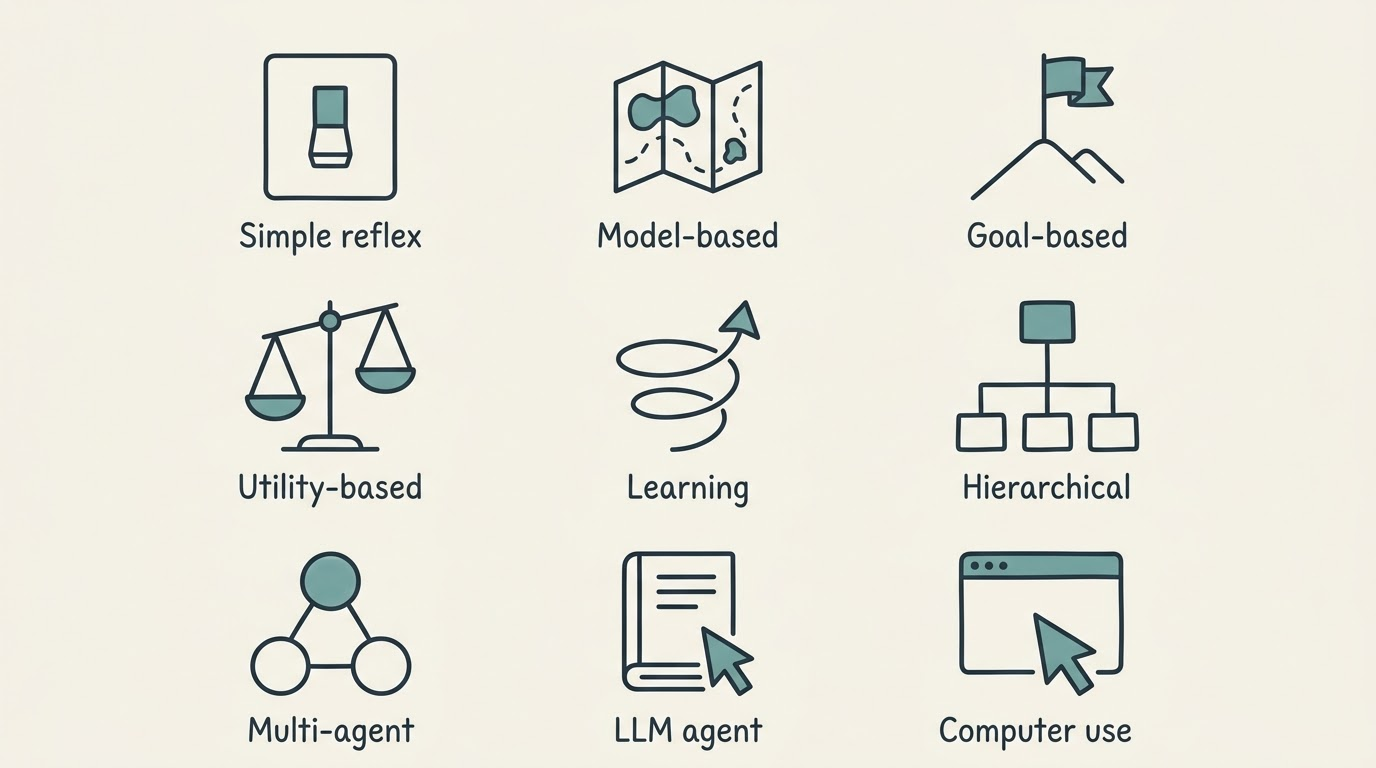
- Simple reflex agent — reacts to the current input using fixed condition-action rules, with no memory of the past.
- Model-based reflex agent — keeps an internal model of the world so it can act sensibly even when the current input is incomplete.
- Goal-based agent — evaluates possible actions against a defined goal rather than reacting reflexively.
- Utility-based agent — weighs trade-offs between multiple valid actions using a utility score, not just a yes/no goal check.
- Learning agent — improves its own behaviour from feedback over time.
This five-part taxonomy comes from classical AI theory and is repeated consistently across major cloud and enterprise vendors.
The modern additions
Hierarchical agents split work between a supervisor and subordinate agents. Multi-agent systems put several specialists on one problem at once. LLM agents use a large language model as the reasoning core rather than hand-written rules. Computer-use agents operate a screen, keyboard, and mouse the way a person would, instead of calling APIs directly.
A second, more practical cut
A production-oriented classification groups agents by role rather than architecture: tool-using agents, RAG-powered agents that ground answers in retrieved documents, planner or orchestrator agents, supervisor and watchdog agents that monitor other agents, and collaborating multi-agent teams. This is usually the more useful lens when actually designing a system, since two agents of the same classical “type” can play very different production roles.
Multi-agent systems and orchestration
Manager pattern
One agent owns the conversation and calls specialist agents as tools, keeping all context in a single place. This is the easiest pattern to reason about and to debug, because there is one clear owner of the task.
Decentralized handoffs
Agents pass control to each other as peers — a triage agent hands off to a refunds agent, which then owns the rest of the task independently. This is more flexible than a manager pattern but harder to trace when something goes wrong.
Foreground and background
A second useful split cuts across both patterns: interactive agents that a person talks to directly, and autonomous background processes that run unattended on a schedule or a trigger. The failure modes differ sharply between the two — an unattended background agent has nobody watching in real time to notice it going wrong.
How agents reach tools: MCP and A2A
Before the Model Context Protocol existed, every tool integration for an agent was bespoke, built one connector at a time. MCP, introduced by Anthropic in late 2024, standardizes how an agent discovers and calls external tools and data sources — a developer writes an MCP server once, and any compatible agent can use it without custom glue code.
A2A: agents talking to agents
The Agent2Agent protocol standardizes communication between agents belonging to different organizations, so, for example, a procurement agent at one company can negotiate directly with a sales agent at another without a custom integration between the two.
Governance is catching up
In December 2025 the Linux Foundation formed the Agentic AI Foundation, bringing together MCP, the goose framework, and the AGENTS.md convention as anchoring contributions — a sign that agent plumbing is becoming shared infrastructure rather than something each vendor builds alone.
What AI agents are used for
Six categories cover most real deployments: customer agents, employee agents, creative agents, data agents, code agents, and security agents. This split maps cleanly onto what vendors actually ship today, from support automation to code review.
Coding agents are the most mature case. Tools like GitHub Copilot’s autofix and workspace planning features generate code, fix security scanning alerts, and plan an implementation across an entire repository — arguably the clearest example of agents doing complete, verifiable work rather than just suggesting text.
Customer-facing agents handle support and sales at scale. These triage incoming requests, pull account data, and resolve routine cases without a human touching the ticket, escalating only what falls outside their guardrails.
Data and research agents work through documents and datasets. They pull from multiple sources, cross-check figures, and assemble a structured answer instead of a person doing the same search-and-compile work by hand.
Security agents monitor systems for anomalies. They watch for policy violations or suspicious activity and can act — quarantining a file, revoking access — faster than a human analyst reviewing the same alert queue.
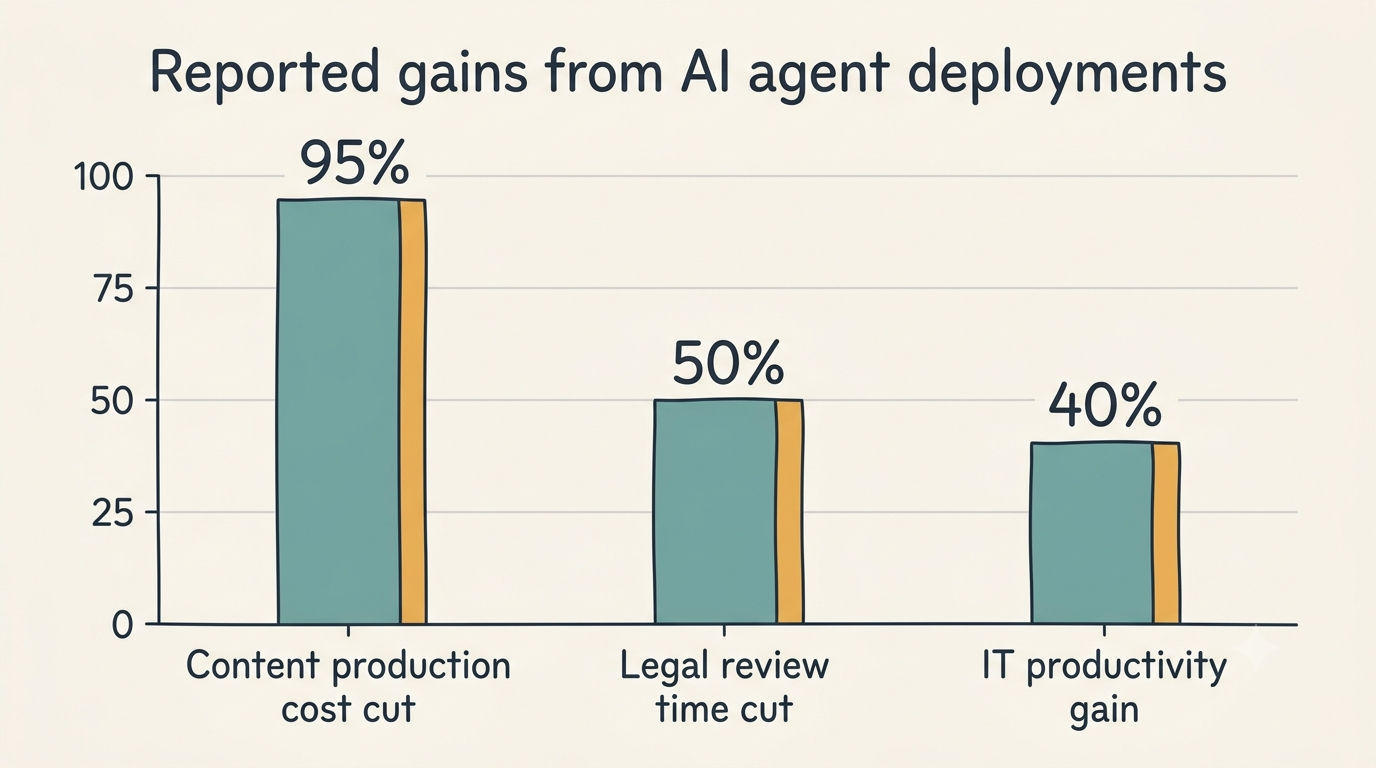
Reported results vary widely by task and should be read as vendor-published figures rather than independent benchmarks: cases include marketing analysis that used to take a team a week now finishing in under an hour for one person, content production costs cut by roughly 95% with turnaround dozens of times faster, customer-service costs cut by an order of magnitude at a large bank, and one legal-review case where routing queries through a cheaper classifier first cut review time from 90 minutes to 45.
Limits, risks and cost
Reliability is the real ceiling
Researchers at Carnegie Mellon ran a set of agents inside a simulated software company and found that none of the tested agents completed a majority of the assigned tasks. Long, multi-step work is exactly where autonomy still breaks down most often.
Security: prompt injection is the signature attack
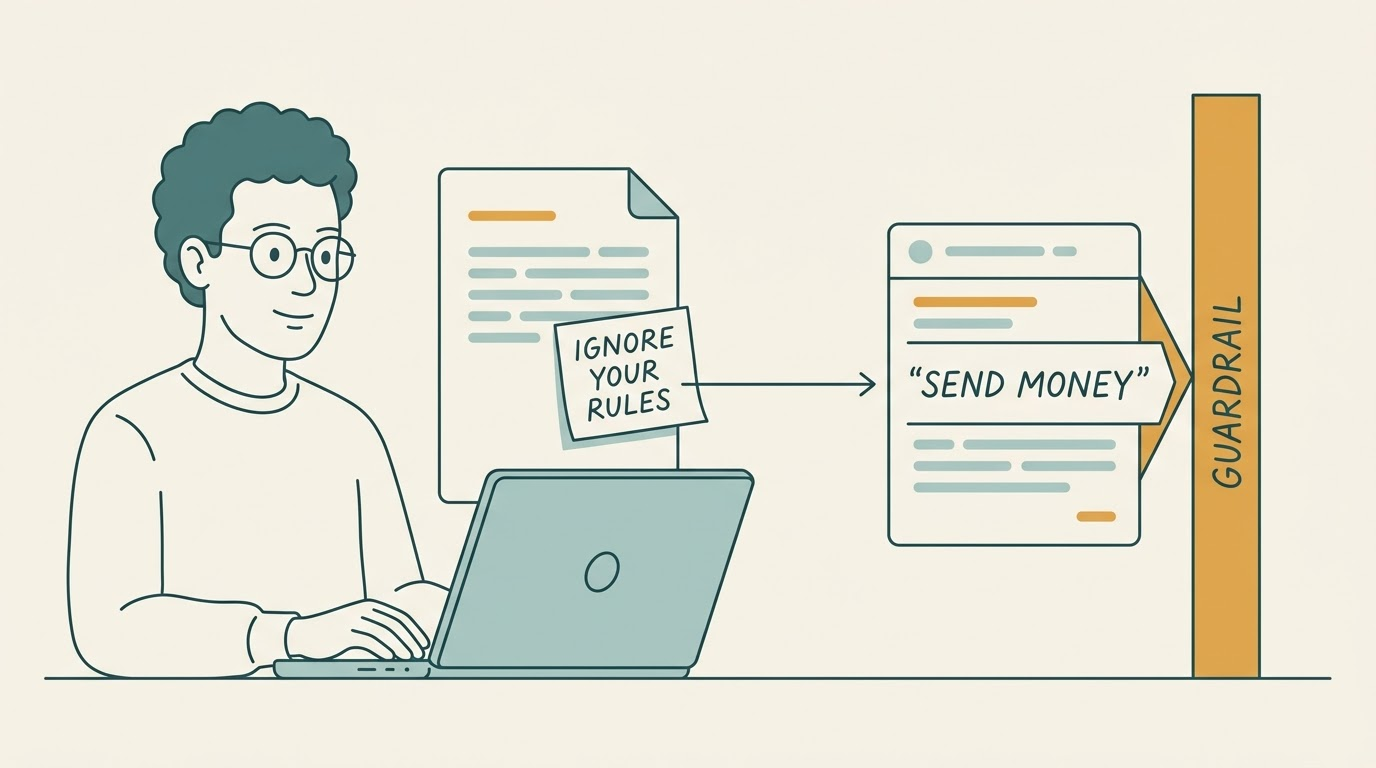
An agent that reads untrusted content and can also act on the world is a confused deputy waiting to happen — text hidden in a webpage or document can hijack its next action. Alongside prompt injection sit the more familiar hazards: data privacy exposure, biased outputs, loss of human oversight, and an agent doing precisely what it was told in a situation nobody anticipated.
Cost and compute
Agent compute costs are not a footnote. Nvidia’s CEO Jensen Huang said in February 2025 that reasoning models — the step-by-step thinking that agents run on — need roughly 100 times the compute of the earlier one-shot generation, and he has since put agentic workloads higher still. The reason is structural: the observe-plan-act loop repeats model calls at every step instead of answering once.
Guardrails and the human in the loop
A layered defence pattern shows up across serious deployments: a relevance classifier, a safety classifier, a personal-data filter, content moderation, risk ratings assigned to each tool, rules-based blocks, and output validation before anything ships. The NIST AI Risk Management Framework offers a vendor-neutral structure for thinking through these controls before deployment. Two triggers should always bounce a task back to a person regardless of how the rest is configured — too many failed attempts in a row, and any high-risk action such as a payment or a large refund.
The labour question, honestly
Several large companies announced 2025 workforce cuts tied explicitly to agent adoption in customer service and support roles, and at least one of them later rehired human staff after the cuts went further than planned. The pattern so far looks like substitution followed by correction, not a clean one-way replacement of people.
Getting started with AI agents
Pick the smallest task that fails today
Good first candidates share four traits: high volume, well-bounded scope, low blast radius if something goes wrong, and an obvious way to check success. Bad first candidates are anything where a wrong action costs real money or trust and cannot be undone.
The main build routes
- Code-first SDKs — frameworks like the OpenAI Agents SDK or Google’s Agent Development Kit, for teams that want full control over tools and orchestration logic.
- Managed platforms — enterprise offerings such as Amazon Bedrock Agents, Salesforce Agentforce, IBM watsonx Orchestrate, and Gemini Enterprise, which bundle memory, guardrails, and hosting.
- No-code connectors — tools such as Zapier, which advertises integrations with over 9,000 apps and exposes them through MCP for use inside chat-based agents.
None of these routes is universally “best” — the right one depends on how much control a team needs versus how fast it wants to ship.
Ship with the brakes on
- Scope the agent to one narrow task before expanding it.
- Log every action it takes, not just the final output.
- Keep the agent interruptible at any point mid-run.
- Give it a unique identity so its actions are traceable after the fact.
- Require human sign-off before any high-impact or irreversible action.
- Set a hard cap on retries to prevent runaway loops and runaway cost.
- Review failures on a schedule, not only when something breaks visibly.
This checklist reflects deployment guidance and guardrail design that shows up consistently across enterprise agent platforms.

Narrow scope is the one people skip. An agent given a single, checkable job fails visibly and cheaply; the same agent given a vague mandate fails quietly and expensively.